
A store owner cannot be on the floor throughout every shift. Keeping the store operating to an agreed standard requires more than receiving an alert: someone must check the condition, take action and verify the result. Start by deciding which signals need attention and who will respond when the owner is away.
What anomaly detection means in a store
Anomaly detection identifies conditions that differ from a defined rule or expected pattern. In a store, the question might concern an unusually long open-door period, a shelf that needs replenishment or activity outside expected operating hours. The rule, area and schedule matter: restocking can be normal at one time and unexpected at another.
An alert is a request to check a condition. It does not, on its own, establish theft, equipment failure or staff misconduct. Record what would count as a normal exception and how the person receiving the alert should verify it.
An empty shelf is not the same as zero inventory
Stockout detection needs a clear definition. A visible gap or insufficient stock on a display is a shelf condition. The store may still have that product in a back room. Conversely, a shelf that looks occupied does not establish that the correct SKU or quantity is available.
Before using a shelf alert, agree on the area, expected display and replenishment condition. The person responsible checks whether stock is available, whether the product belongs in that position and whether replenishment or ordering is needed. Camera coverage, occlusion and display changes affect what can be observed. Do not read a visual shelf signal as a complete SKU inventory ledger.
Nighttime checks need an operating plan
Night monitoring concerns the hours and areas where a remote check is needed, including periods outside normal opening hours. Define who receives the signal, the expected response and the next contact if that person is unavailable. Record scheduled cleaning and deliveries so those activities can be considered during a check.
Confirm the lighting, camera coverage, connection and supported detection conditions for the installed setup. A daytime demonstration does not establish performance at night. Receiving an alert also does not provide a staffed response service or guarantee incident prevention.
Connect detection to a repeatable routine
Store operations automation can reduce repetitive checking and help organize signals. The operating routine still needs an owner at each step.
- Detect: define the condition and the area to observe.
- Check: assign someone to confirm the current situation and its priority.
- Act: replenish, correct the display or contact the appropriate person under the store's procedure.
- Verify: record what changed and check that the condition is resolved.
For a hypothetical shelf-gap alert, the shift lead might check the display, find stock in the back room, replenish it and record the result. A repeated signal calls for another check of the shelf or the detection condition. It is not evidence that the employee ignored the task.
How saai care supports the routine
saai care surfaces anomaly, hygiene and equipment signals so an operator can identify what needs attention. Its published product information includes shelf and out-of-hours signals. Confirm the supported conditions and notification setup during the site review; the examples are not a promise that every condition works with every camera.
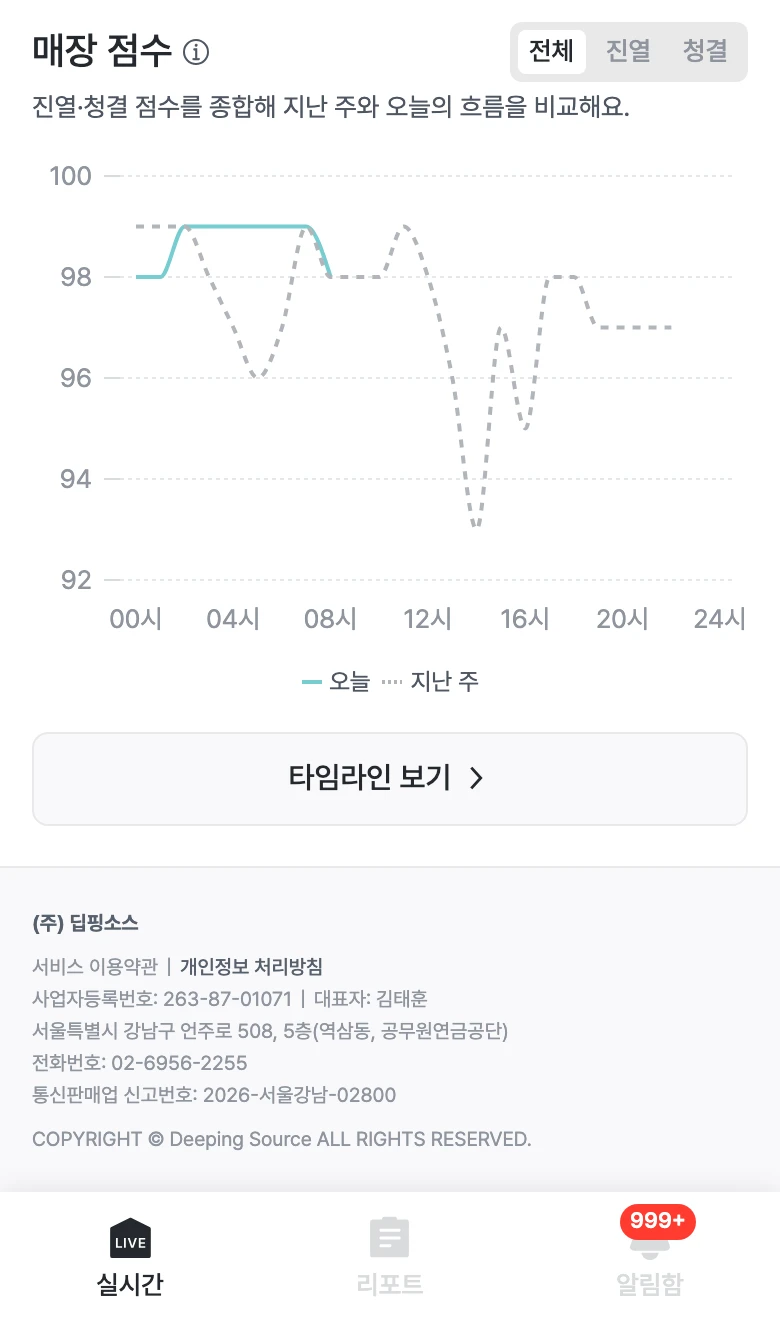
The existing score screen is one way to review store condition over time. A score alone does not establish the cause or confirm that a task was completed. The interface shown is Korean.
The product's privacy handling is described on the saai care product page. Check that scope separately from any existing camera recording system when reviewing the deployment.
Set up the handover before enabling alerts
Use saai care to review which signals can support your store's routine. Decisions and physical actions remain with the responsible people.
